

4 Main Components
About Us Hero, Our Story, Timeline, and Careers sections

What you'll find in this guide
The About page tells the story of Founders Club - who we are, our mission, our journey, and opportunities to join our team. This guide walks you through each component section with clear instructions for content editing.
4 Main Components
About Us Hero, Our Story, Timeline, and Careers sections
Storytelling Focus
Components designed to share your organization’s narrative and culture
Required Fields
Several components have required fields that must be completed before publishing
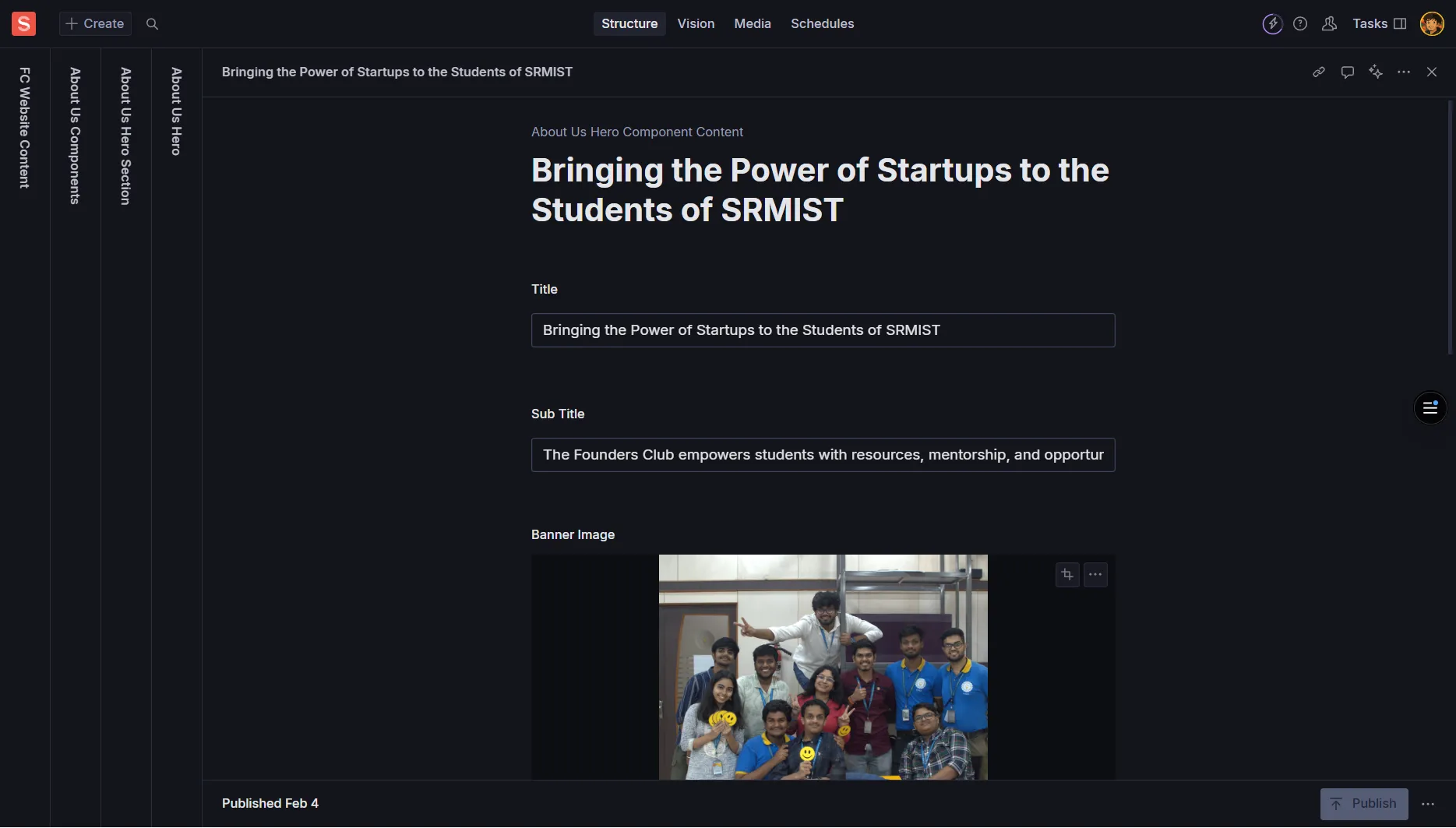
The About Us component powers the main About page hero section, including the headline, banner image, mission statement, values, and call-to-action cards.
Title
Required - Main headline for the About page hero
Example: “Building India’s Premier Startup Ecosystem”
Sub Title
Required - Supporting line under the headline
Example: “Empowering entrepreneurs to transform ideas into successful ventures”
Banner Image
Required - Large hero image (1600px+ width recommended)
Always add descriptive Alt Text for accessibility
Our Mission
Required - Concise mission statement
Example: “To create a thriving community where entrepreneurs can learn, connect, and grow together”
Keep to one impactful sentence
Secondary Heading
Required - Second headline below the hero
Example: “What We Stand For”
Secondary Sub Heading
Required - Supporting line under secondary heading
Example: “Our core values guide everything we do”
Each value entry includes:
Icon
Required - Icon identifier or name
Use consistent set: simple names, emojis, or icon identifiers
Examples: “innovation”, “community”, “growth” or ”🚀”, ”🤝”, ”📈”
Title
Required - Value title (3-5 words)
Examples: “Innovation First”, “Community Driven”, “Growth Mindset”
Description
Required - One sentence explaining the value
Example: “We embrace cutting-edge ideas and creative solutions to solve complex challenges.”
The CTA component is an array that supports multiple call-to-action cards:
Title
Required - The CTA card’s title
Example: “Join Our Community”
CTA Banner Image
Required - Visual for the CTA card
Add descriptive Alt Text when prompted
Sub Title
Required - Short supporting text
Example: “Connect with like-minded entrepreneurs and grow your startup”
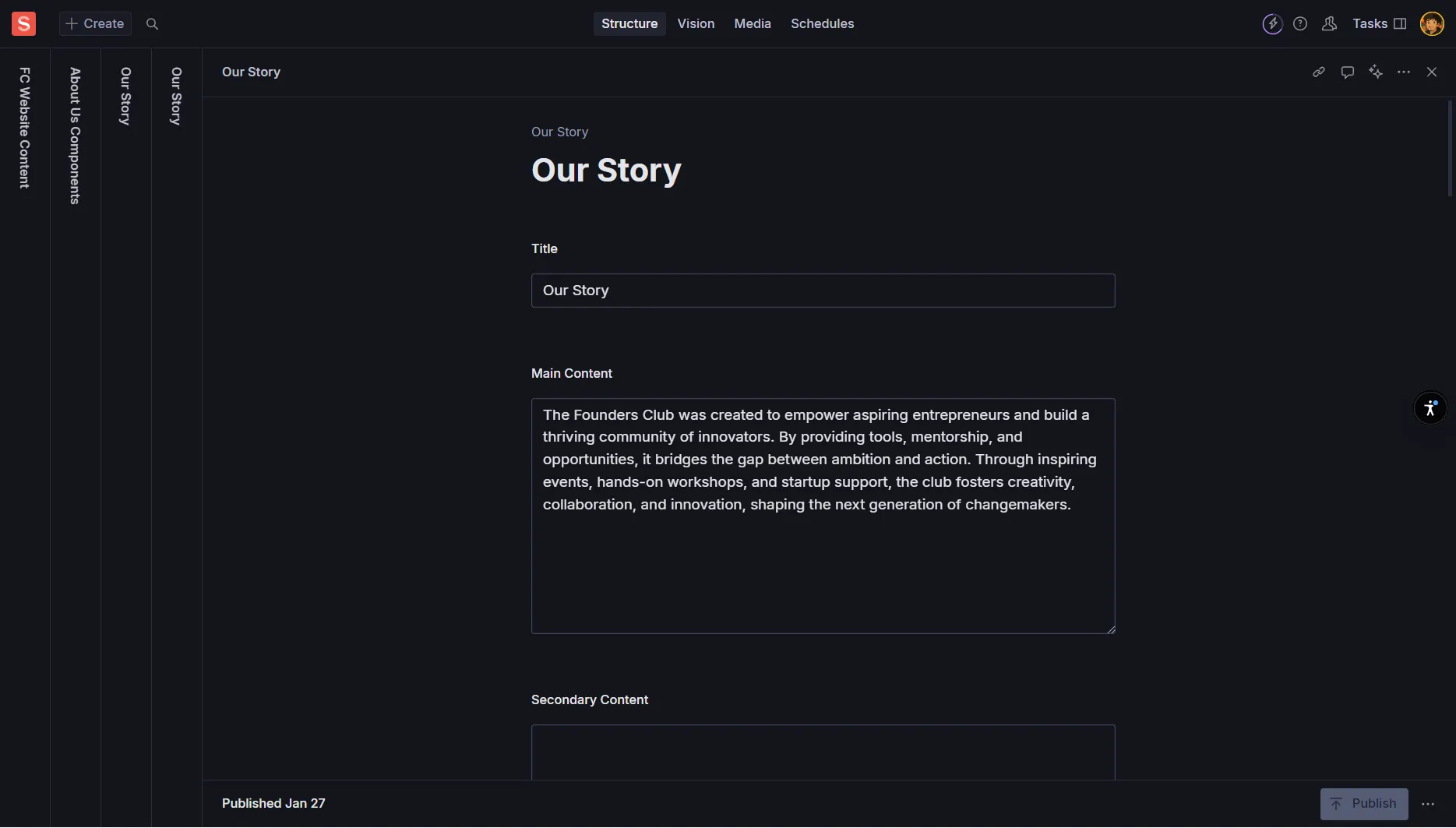
The Our Story component is a storytelling section that covers your organization’s history, culture, and journey. It includes options for multiple content sections and image galleries.
Title
Required - Section headline
Example: “Our Story” or “How We Started”
Main Content
Required - The primary narrative
Use short paragraphs (2-4 sentences) for better readability
Tell your founding story, key milestones, or organizational evolution
Secondary Content
Optional - Additional detail if needed
Use for supplementary information or extended narrative
Workplace Title
Optional - Headline for workplace/culture sub-section
Example: “Our Culture” or “Working at Founders Club”
Workplace Content
Optional - Primary text for workplace section
Describe your team culture, work environment, or values in action
Workplace Secondary Content
Optional - Supporting text for workplace section
Additional details about team dynamics, benefits, or culture highlights
Images Object
Optional - Up to 6 images showcasing your story
Image 1 through Image 6 - Each supports hotspot functionality
Alternative Text - Describe what’s shown in each image
Each image field includes:
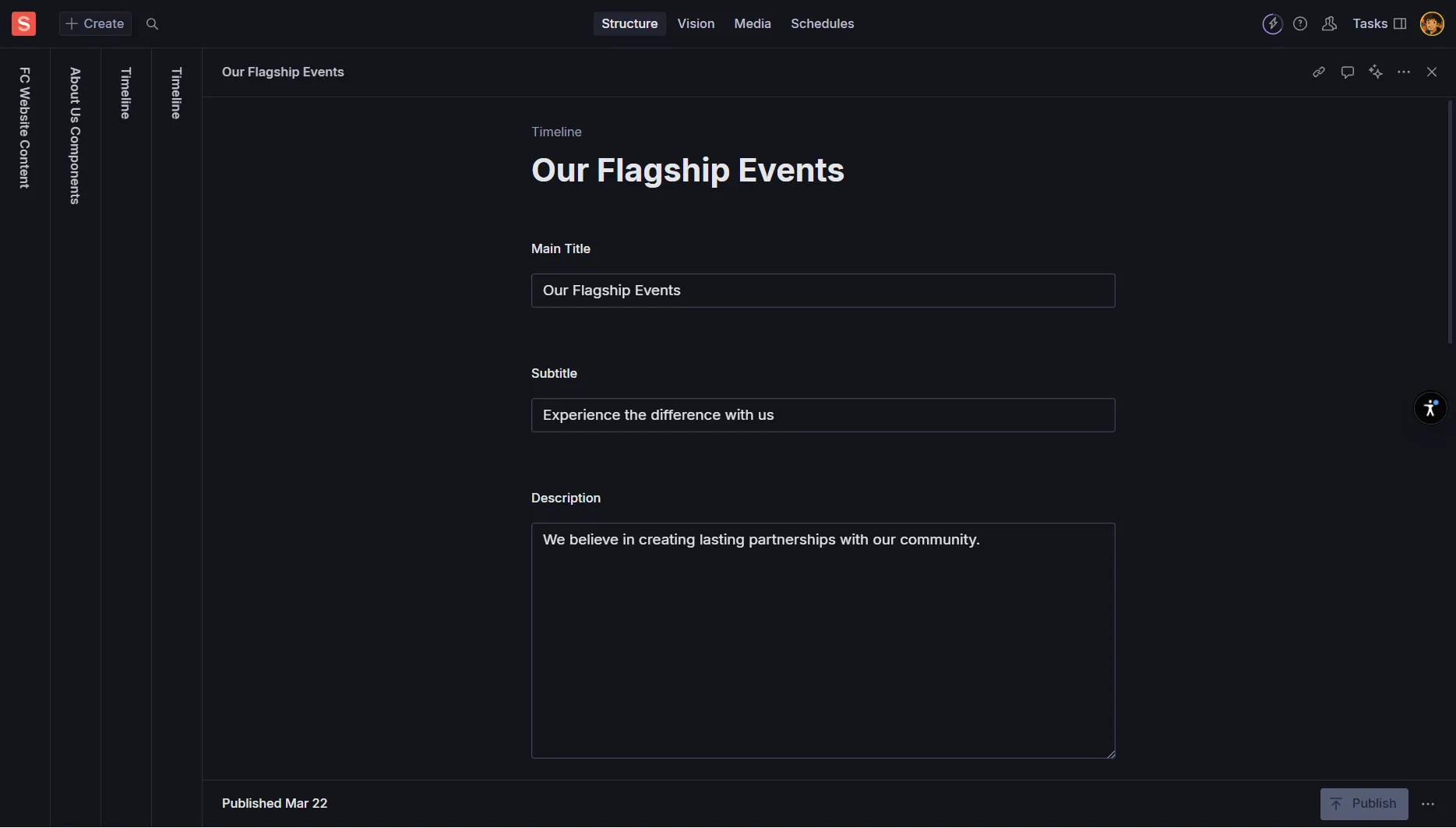
The Timeline component displays a chronological sequence of your organization’s milestones, achievements, and key moments. It includes optional intro content and action buttons.
Main Title
Optional - Section title
Example: “Our Journey” or “Key Milestones”
Subtitle
Optional - Short supporting line
Example: “From idea to India’s leading startup community”
Description
Optional - Brief intro paragraph for the timeline
Set context for the milestones that follow
Primary Button
Primary Button Text (optional) - Main CTA label
Primary Button Link (optional) - Full URL or site path
Example: Text: “Join Us Today”, Link: “/membership”
Secondary Button
Secondary Button Text (optional) - Secondary action label
Secondary Button Link (optional) - Full URL or site path
Show Secondary Button (boolean) - Toggle visibility
Example: Text: “Learn More”, Link: “/about”
Each timeline item includes:
Title
Required - Milestone title
Examples: “Company Founded”, “First Event”, “100 Members Milestone”
Keep clear and concise
Description
Required - Short explanation of the milestone
Use 1-2 sentences to describe the significance
Example: “Launched our first networking event with 25 passionate entrepreneurs.”
Image
Optional - Visual for the milestone
Alternative Text - Describe the image content for accessibility
Use photos from the actual events or relevant graphics
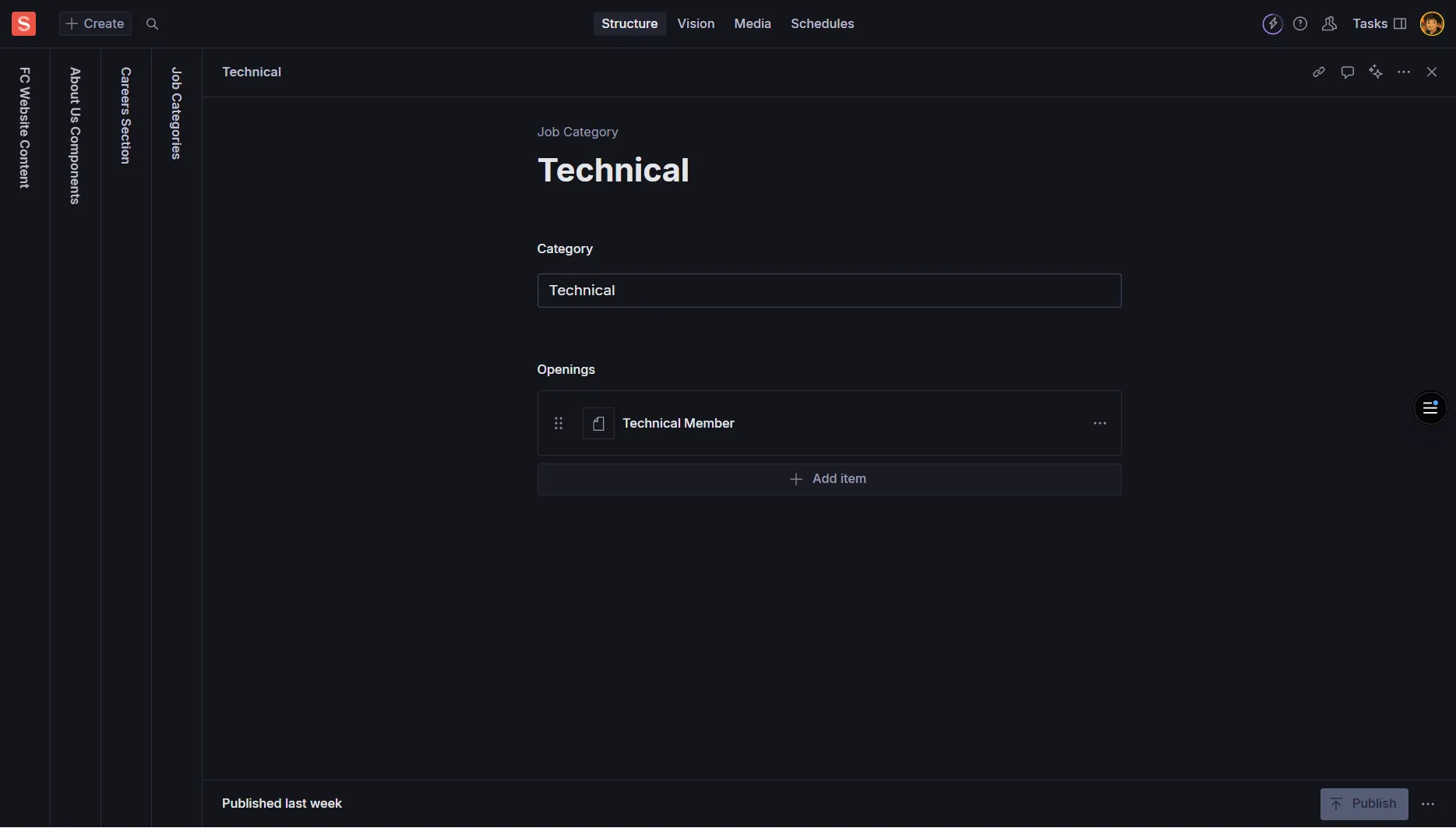
The Careers component organizes job openings by category (departments/teams) with individual job listings that include titles, locations, and application links.
Category
Required - Name of the job category
Examples: “Engineering”, “Design”, “Marketing”, “Operations”
Keep names simple and consistent across documents
Openings Array
Required - Individual job listings within the category
Each opening contains job details and application link
Each opening in the array includes:
Job Title
Required - The role name
Examples: “Frontend Engineer”, “UX Designer”, “Content Marketing Manager”
Use standard industry job titles when possible
Location
Required - Work location details
Examples: “Mumbai, India”, “Remote”, “Hybrid - Bangalore”, “On-site - Delhi”
Be specific about location requirements
Link
Required - Full application URL
Must start with http:// or https://
Example: “https://careers.company.com/jobs/frontend-engineer”
Studio will warn if URL format is invalid
Organization
Create separate Job Category documents for each department
Examples: Engineering, Design, Marketing, Operations, Sales
Consistency
Use consistent category naming across all documents
Maintain the same capitalization and format
Updates
Regularly update job listings as positions open and close
Remove filled positions and add new openings
Alt Text for Images
Provide descriptive Alt Text that explains what the image shows
Example: “Team photo from Founders Club annual conference 2024”
Avoid generic terms like “image” or “photo”
Link Accessibility
Use descriptive link text and test all external URLs
Ensure job application links are accessible and functional
Include https:// for all external links
Brevity and Clarity
Story Content: Use short paragraphs (2-4 sentences)
Timeline Items: Keep descriptions to 1-2 sentences
Mission Statements: Aim for one impactful sentence
Consistency
Tone: Maintain consistent voice across all sections
Formatting: Use consistent capitalization and punctuation
Category Names: Keep job categories consistently named
Storytelling
Our Story: Focus on key moments and challenges overcome
Timeline: Highlight genuine milestones and achievements
Values: Connect abstract concepts to concrete examples
Required Fields
About Us: All main fields are required before publishing
Our Values: Must have exactly 3 items (enforced by Studio)
Job Openings: Title, Location, and Link are all required
Image Specifications
Banner Images: 1600px+ width recommended
Story Images: Up to 6 images with hotspot support
Timeline Images: Optional but enhance storytelling when used
Link Validation
Job Links: Must include http:// or https://
Button Links: Provide links when button text is present
Testing: Verify all links work before publishing
How many values are required in the Our Values section?
What's the recommended approach for Our Story content paragraphs?
What happens if you add Secondary Button text but leave 'Show Secondary Button' turned off?
What's required for job application links in the Careers section?
How should you organize job openings in the Careers section?
About Us
Required: Title, Sub Title, Banner Image, Mission, Secondary Heading, Secondary Sub Heading, 3 Values, CTA components
Optional: Additional CTA cards
Our Story
Required: Title, Main Content
Optional: Secondary Content, Workplace sections, up to 6 images
Timeline
Required: Timeline Items (Title, Description per item)
Optional: Headers, buttons, item images
Careers
Required: Category name, Job openings (Title, Location, Link each)
Optional: None (all fields within openings are required)
What did you learn?