

Individual Profiles
Each team member has a detailed profile with personal and professional information

Before you start
What you'll find in this guide
The Teams page showcases the people behind Founders Club - their roles, backgrounds, and expertise. Team member profiles are reusable objects that can appear across different sections of your website, from dedicated team pages to featured member highlights.
Individual Profiles
Each team member has a detailed profile with personal and professional information
Flexible Display
Profiles can be featured, hidden, or reordered based on your needs
Social Integration
Support for multiple social media platforms and professional links
A Team Member is a reusable object that represents an individual person in your organization. These profiles typically include name, role, headshot, biography, and contact information, and can be displayed on team pages, about sections, or featured member carousels.
Name
Required - Full name of the person
Example: “Priya Sharma” or “Dr. Rajesh Kumar”
Use the person’s preferred professional name
Role/Title
Required - Job title or function
Example: “Head of Design”, “Community Manager”, “Founder & CEO”
Use consistent title formatting across all profiles
Department/Team
Optional - Group or discipline
Example: “Product Design”, “Operations”, “Leadership Team”
Helps organize members by functional area
Bio
Optional - Concise personal summary
1-3 sentences, 40-80 words ideal
Focus on expertise, background, and what they bring to the team
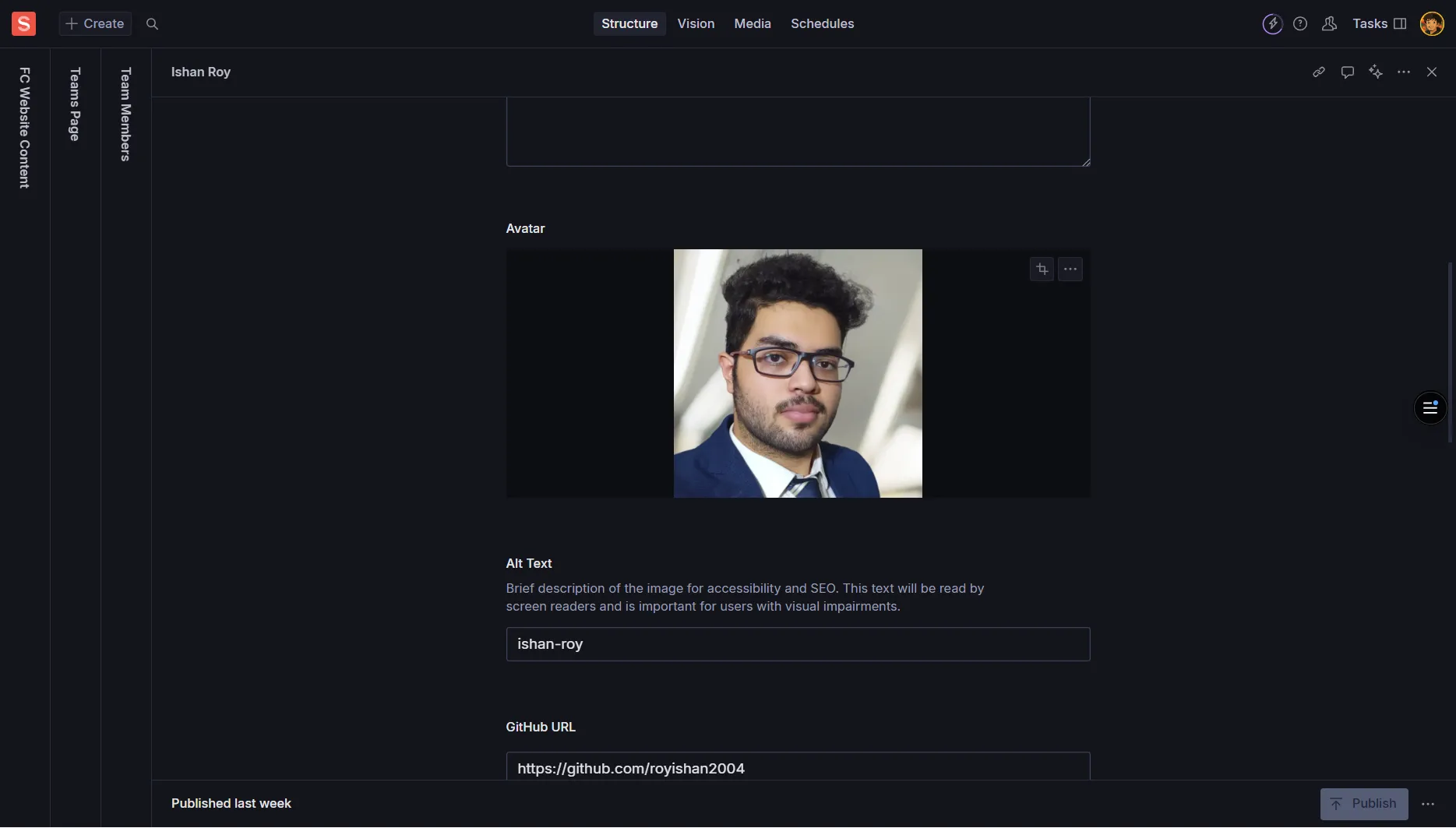
Headshot/Image
Optional - Professional photo
Square or portrait format (at least 800×800px)
Always add descriptive Alt Text
Example Alt Text: “Portrait of Priya Sharma”
Optional - Work email address
Use only professional/work email addresses
Example: “priya.sharma@foundersclub.com”
Phone
Optional - Contact phone number
Include only if phone contact is appropriate
Format consistently: “+91 98765 43210”
Location
Optional - Work location
Examples: “Mumbai, India”, “Remote”, “Hybrid - Delhi”
Be consistent with location formatting
The Social Links array allows multiple social media and professional profiles:
Provider/Label
Required - Platform name
Examples: “LinkedIn”, “Twitter/X”, “GitHub”, “Website”, “Instagram”
Use consistent naming across all profiles
URL
Required - Full profile URL
Must start with https://
Example: “https://linkedin.com/in/suvangs”
Verify links are active and correct
Icon
Optional - Visual identifier
Platform icon or symbol
Use if your schema supports icon selection
Featured
Optional - Boolean toggle
Highlights the person in special sections or carousels
Use sparingly for key team members
Visible/Active
Optional - Boolean toggle
Controls whether the profile appears on the site
Toggle off to hide without deleting
Sort Order/Priority
Optional - Numerical value
Lower numbers appear first in manual ordering
Example: 1, 2, 3, etc.
Tags
Optional - Skills or specialties array
Examples: “AI”, “Fintech”, “Operations”, “Marketing”
Helps categorize expertise areas
Slug
Optional - URL-friendly identifier
Only needed if individual profile pages exist
Example: “priya-sharma” or “john-doe”
Auto-generated from name in most cases
Start Date
Optional - When they joined
Useful for tenure information
Format: YYYY-MM-DD
End Date
Optional - When they left (if applicable)
Can mark as alumni or hide from active display
Format: YYYY-MM-DD
Navigate to team member management in Sanity Studio:
Add a new team member:
Fill core information:
Upload headshot:
Add contact information:
Configure social links:
Set display options:
Publish the changes
Drag and Drop
Reordering - Drag team members to reorder if supported
Use drag handles to arrange profiles
Manual Ordering
Sort Order - Use numerical values for precise ordering
Lower numbers (1, 2, 3) appear first
Department Groups
Organization - Group by department/team for clarity
Consistent department naming helps organization
Image Specifications
Minimum Size: 800×800px for crisp display
Aspect Ratio: Square (1:1) or portrait depending on site design
Format: JPG, PNG, or WebP
File Size: Under 500KB for web optimization
Photo Quality Standards
Professional Appearance: Clear, well-lit professional photos
Consistent Style: Similar lighting and background across team
Current Photos: Recent photos that represent the person accurately
Accessibility Requirements
Alt Text: Always include descriptive Alt Text
Good: “Portrait of Sarah Johnson”
Avoid: “headshot”, “photo”, or leaving blank
Biography Writing
Length: 40-80 words (1-3 sentences)
Focus: Expertise, background, and value to team
Tone: Professional but approachable
Avoid: Internal jargon or overly technical language
Consistency Standards
Job Titles: Use consistent capitalization and formatting
Department Names: Standardize across all profiles
Location Format: Use same format for all members
Contact Information
Work Email Only: Use professional email addresses
Current Information: Ensure all contact details are up-to-date
Privacy: Only include information appropriate for public display
Professional Networks
LinkedIn - Primary professional platform
GitHub - For technical team members
Behance/Dribbble - For designers and creatives
Social Platforms
Twitter/X - Industry thought leadership
Instagram - Behind-the-scenes content
YouTube - Educational or speaking content
Personal/Portfolio
Personal Website - Professional portfolio
Blog - Industry writing and insights
Medium - Published articles and thoughts
Link Quality
Complete URLs: Always use full URLs with https://
Active Profiles: Verify links lead to active, professional profiles
Consistency: Use the same platform names across all profiles
Professional Focus
Work-Relevant: Include platforms relevant to professional role
Quality Over Quantity: Better to have 2-3 quality links than many inactive ones
Regular Updates: Ensure linked profiles are professionally maintained
Featured Highlighting
Purpose: Highlights key team members in special sections
Usage: Use for leadership, department heads, or key contributors
Limit: Don’t feature too many members to maintain impact
Visibility Toggle
Active Display: Controls whether profile appears on live site
Temporary Hiding: Turn off without deleting for temporary absence
Alumni Management: Hide former members while preserving data
Manual Ordering
Sort Priority: Use numbers to control display order
Hierarchy: Lower numbers appear first (1, 2, 3…)
Flexibility: Easy to reorder without recreating profiles
Tagging System
Skills/Expertise: Tag members by specialization
Filtering: Enable filtering by expertise areas
Examples: “AI”, “Marketing”, “Design”, “Operations”
Tenure Tracking
Start Date: Track when members joined
End Date: Mark departure dates for alumni
History: Maintain organizational timeline
Profile Pages
Individual URLs: Create dedicated profile pages if supported
SEO Slugs: URL-friendly identifiers for each member
Deep Linking: Direct links to individual profiles
What's the recommended word count for team member bios?
What's the minimum recommended size for headshot images?
Which fields are required for all team member profiles?
How should social media URLs be formatted?
What happens when you set a team member's 'Visible/Active' toggle to off?
Photo Consistency
Uniform Style: Use similar lighting and background across all headshots
Professional Quality: Clear, well-lit, current photos
Appropriate Cropping: Square or portrait based on site design
Information Accuracy
Current Details: Ensure all information is up-to-date
Consistent Formatting: Use same format for titles, locations, dates
Professional Focus: Keep content work-appropriate and relevant
Biography Writing
Focus Areas: Expertise, background, team contribution
Tone: Professional but approachable
Length: 1-3 sentences, scannable format
Avoid: Internal jargon, overly technical language
Social Media Strategy
Quality Links: Active, professional profiles only
Platform Relevance: Choose platforms relevant to role
Regular Maintenance: Keep linked profiles professionally updated
Alt Text Requirements
Always provide meaningful Alt Text for headshots
Example: “Portrait of Maria Garcia, Head of Marketing”
Avoid: “headshot”, “image”, or leaving blank
Link Validation
URL Testing: Verify all social media and website links work
HTTPS Protocol: Use secure links (https://) for all external URLs
Regular Audits: Check links periodically for accuracy
What did you learn?